
Launching Toolbelt From Revit
Toolbelt provides a simple workflow to export geometry from Revit. Once the Revit plugin is installed, the exporter plugin will appear under the Toolbelt tab in Revit.

Launching The Toolbelt Exporter Interface
When clicking on the Launch button of the Toolbelt Exporter, a new dialog window will open which allows you to modify your export settings and properties
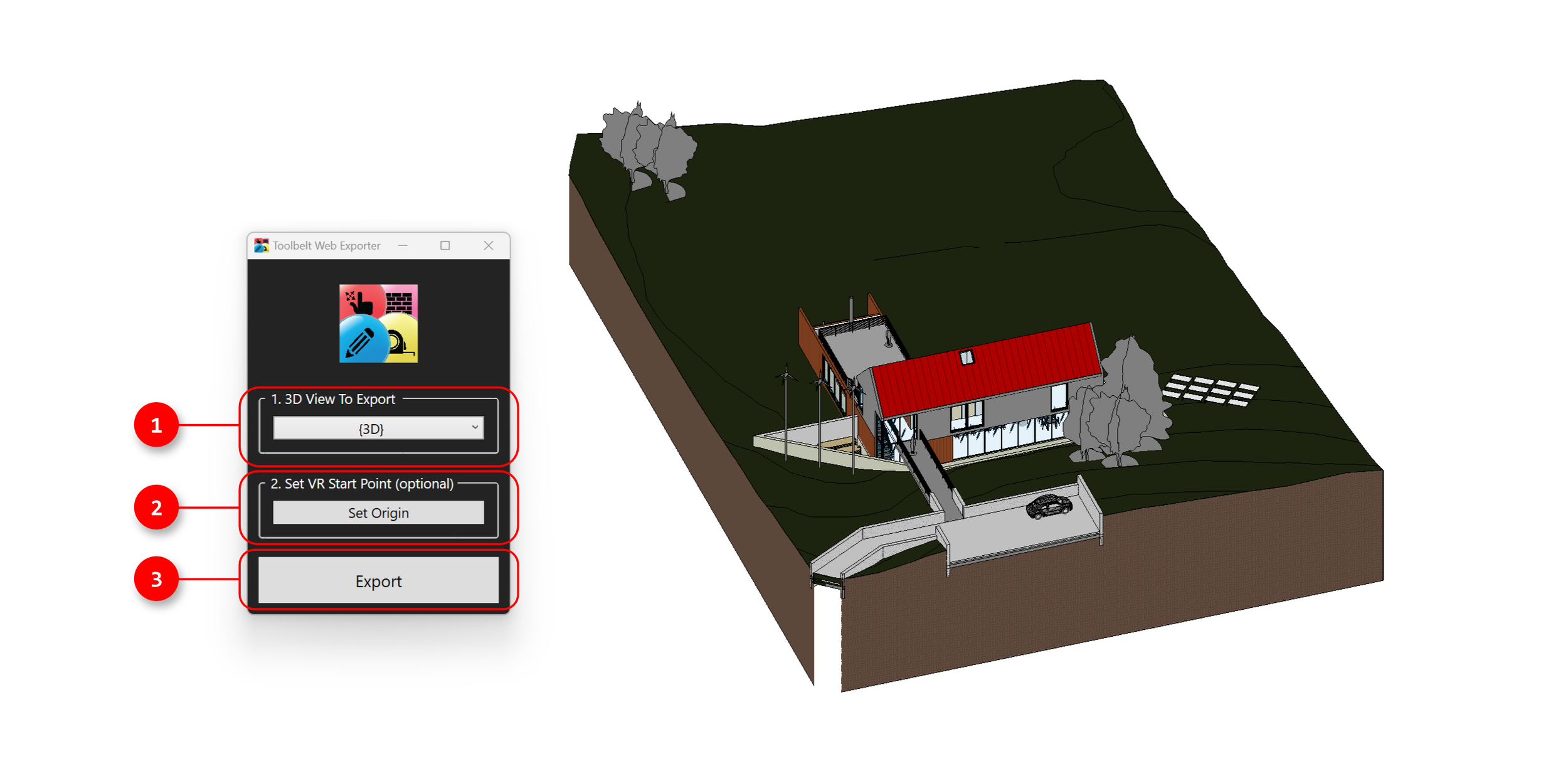
Launching The Toolbelt Exporter Interface
When clicking on the Launch button of the Toolbelt Exporter, a new dialog window will open which allows you to modify your export settings and properties

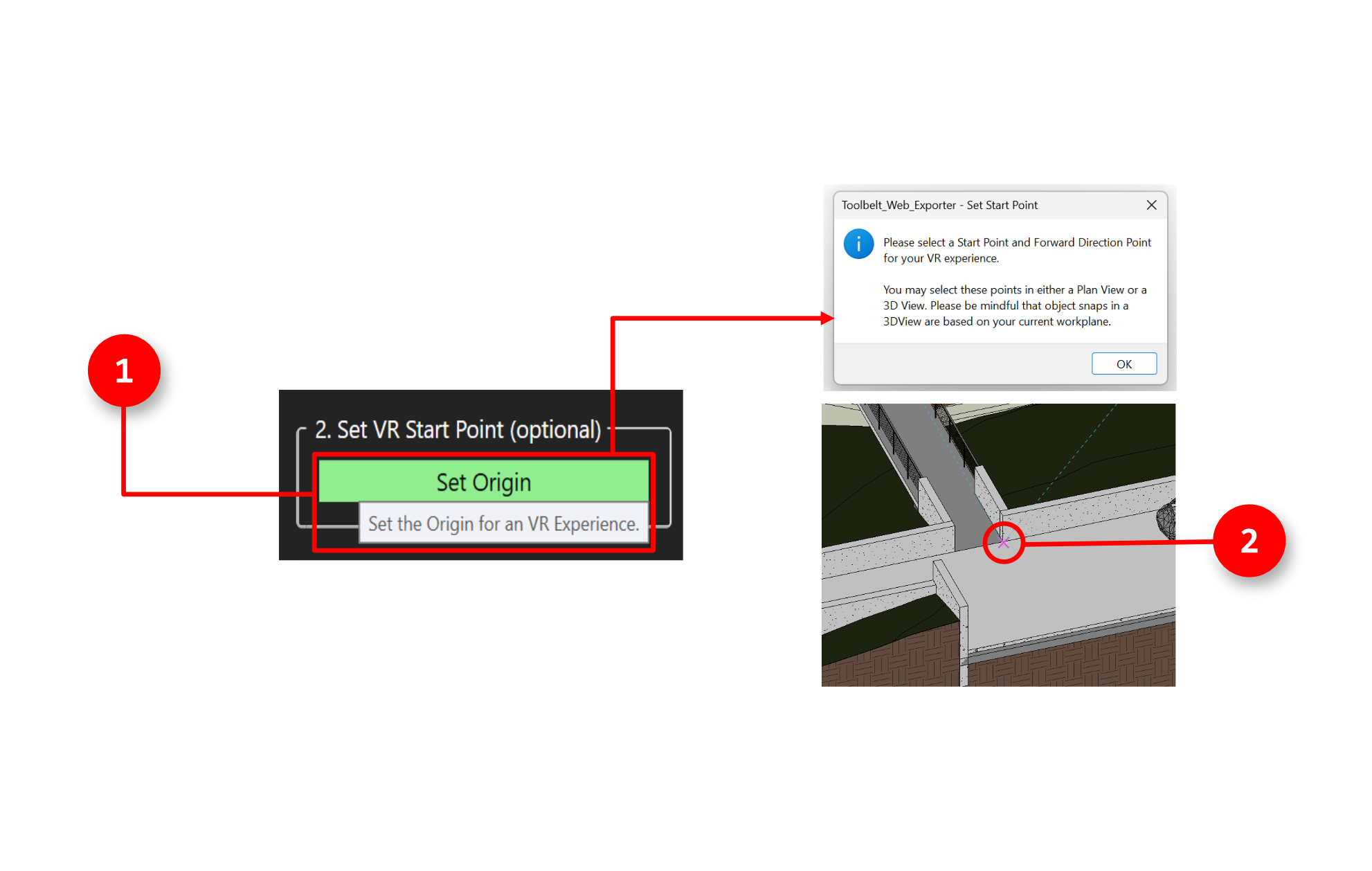
2. Second, the user can choose to set the VR start point in the Revit model. This will be the point where the user will start their VR experience if they choose to access the model through VR.
3. Third, the user can then click the export button which will begin the export process bringing the Revit model into Toolbelt.
Importing into Toolbelt
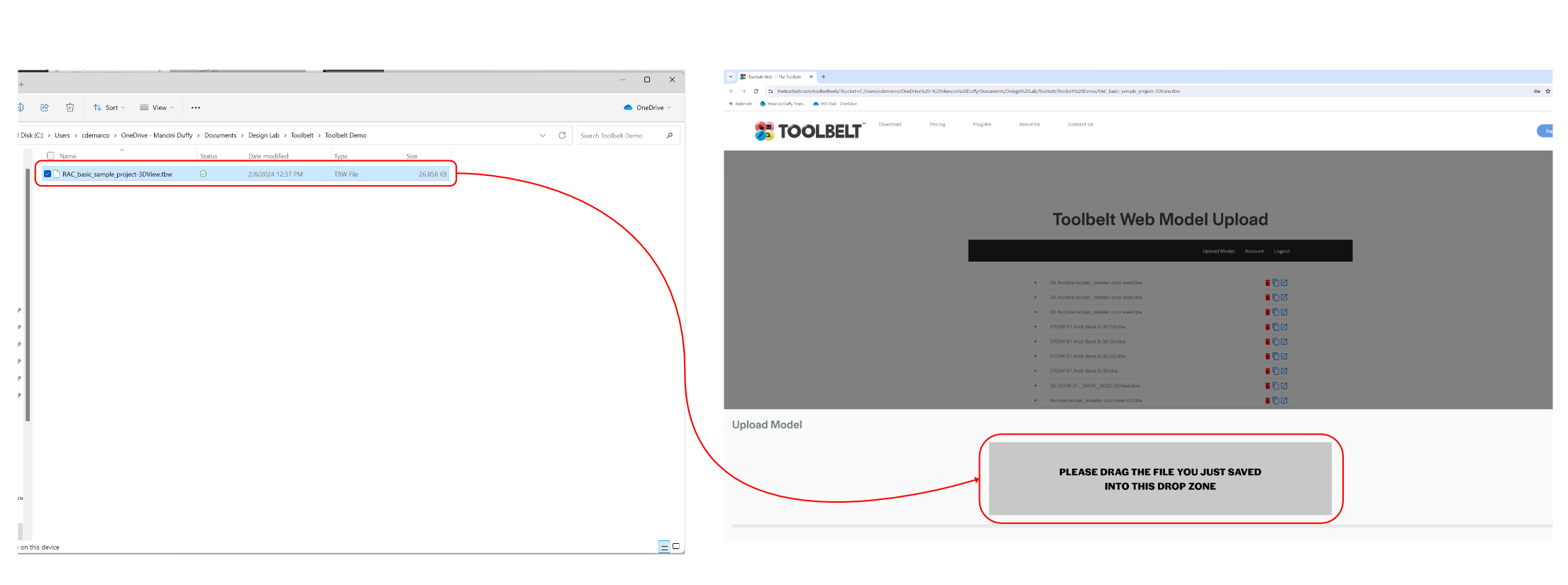
1. Once the file exports from Revit, the Toolbelt browser will pop up alongside the File Explorer window with the exported file location.
2. The user would then drag the .TBW file into the drop box in the Toolbelt web browser.
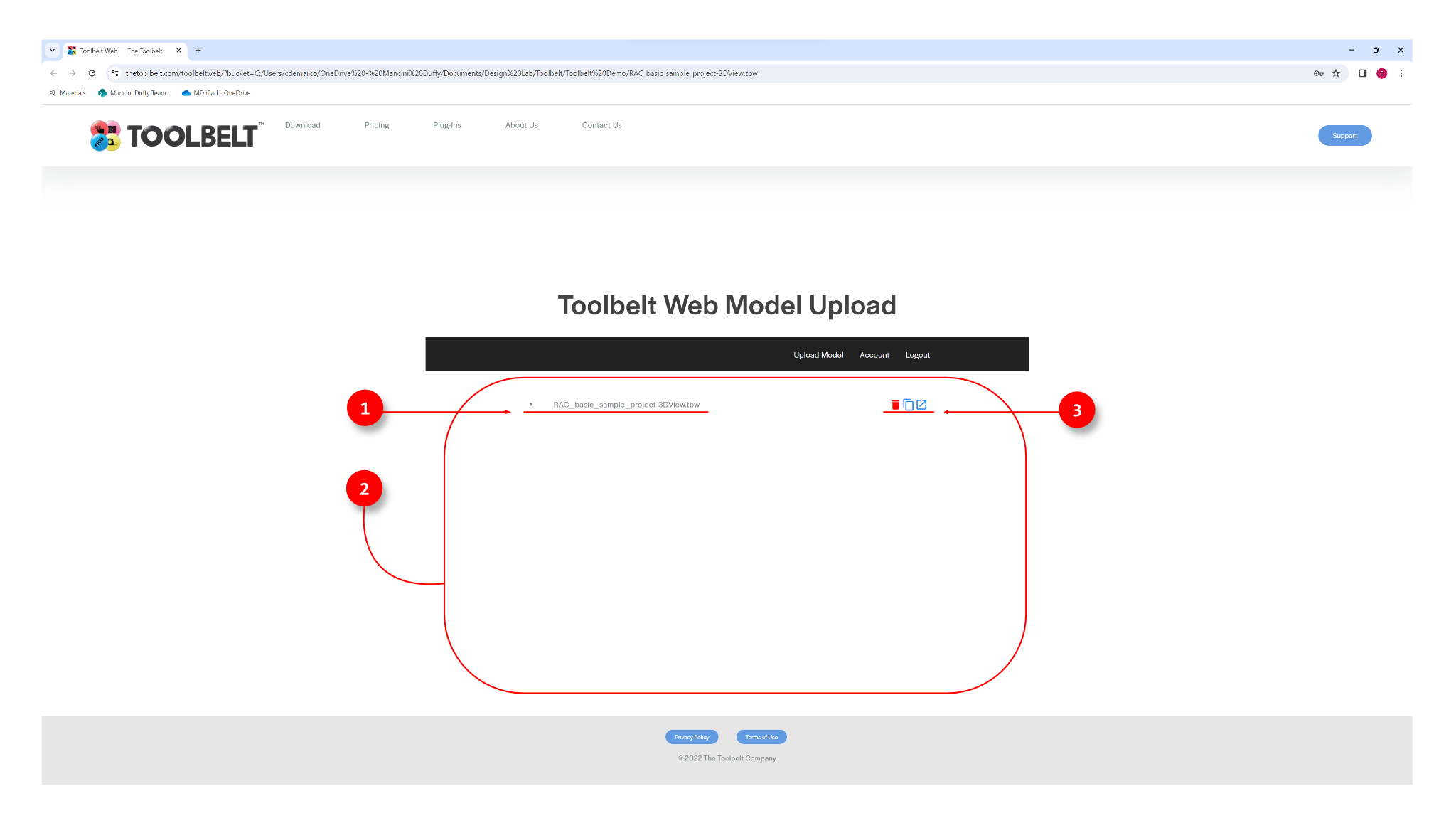
1. The name of the file that was exported from Revit
2. This is where all exported files will be listed
3. Options to delete, copy, or open up the file in the Toolbelt's web window