
Models Panel
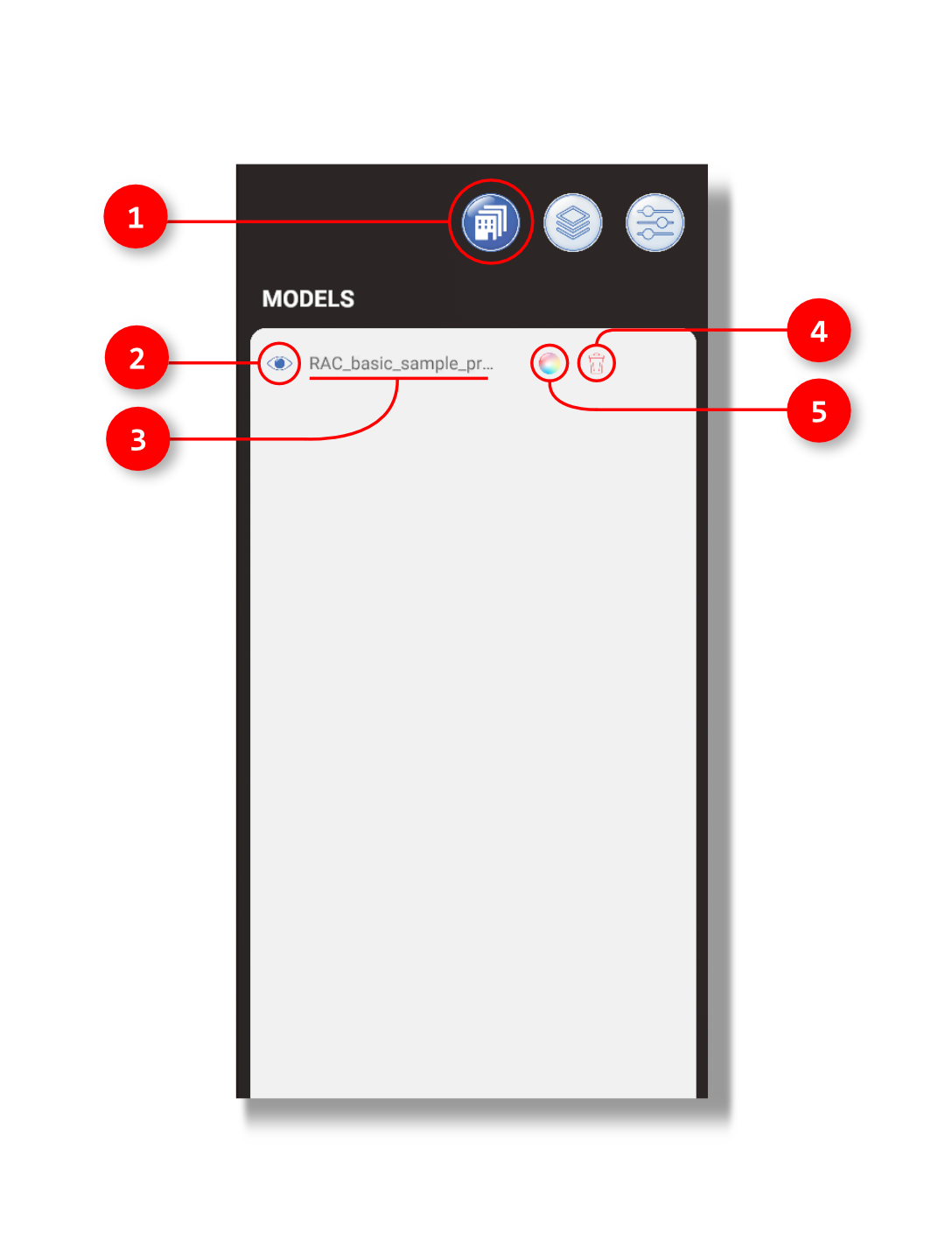
1. The user clicks here to view the current models loaded in your Toolbelt.
2. This eye icon allows you to isolate or turn on and off certain models by clicking it.
3. The name of the loaded model.
4. By clicking the trash icon, this will delete the associated model from the Models panel.
5. By clicking the color wheel, this will remove all color from the associated model.