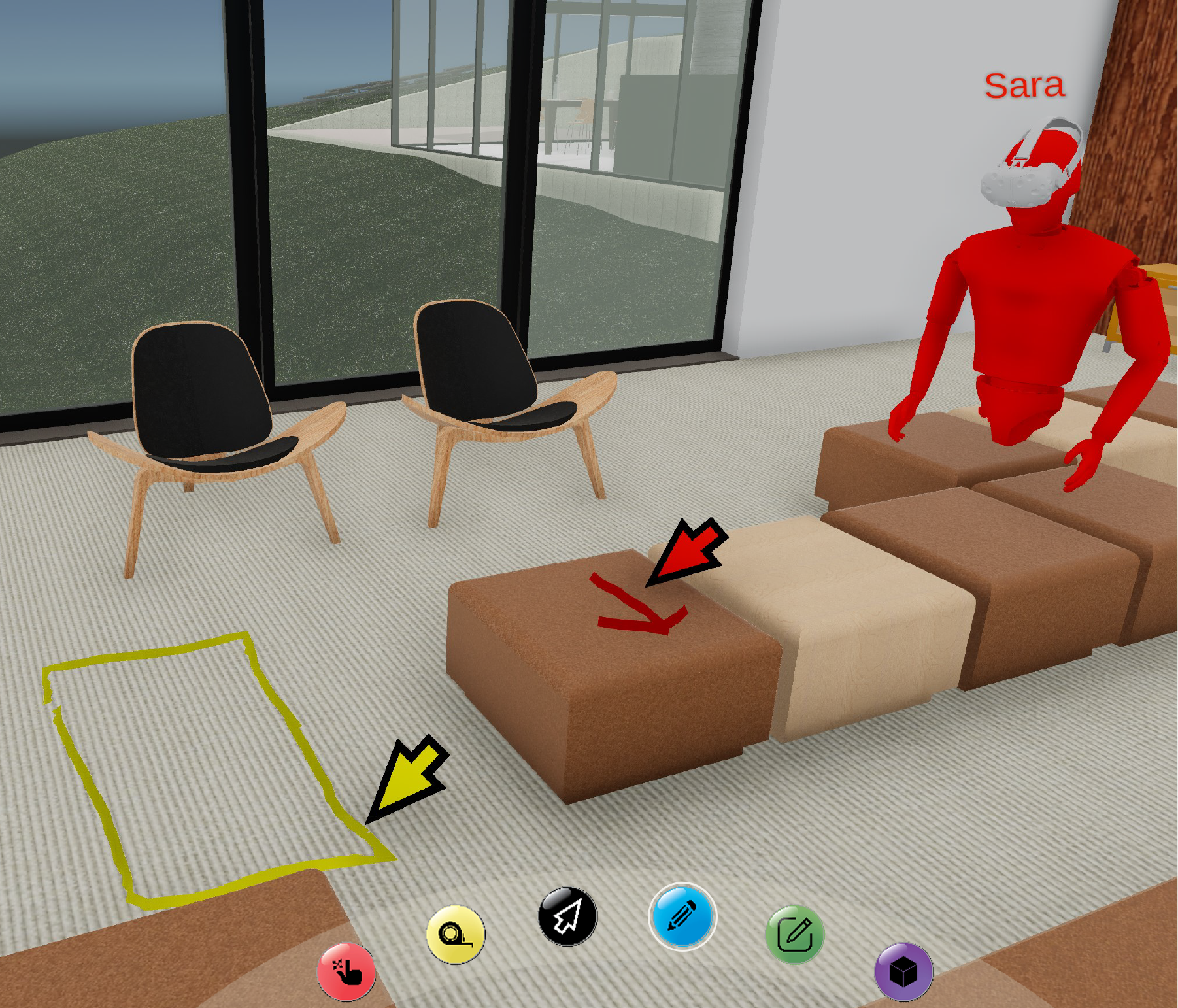
PC | Doodle
The Doodle tool allows users to draw sketches on three dimensional geometry imported into their scene.
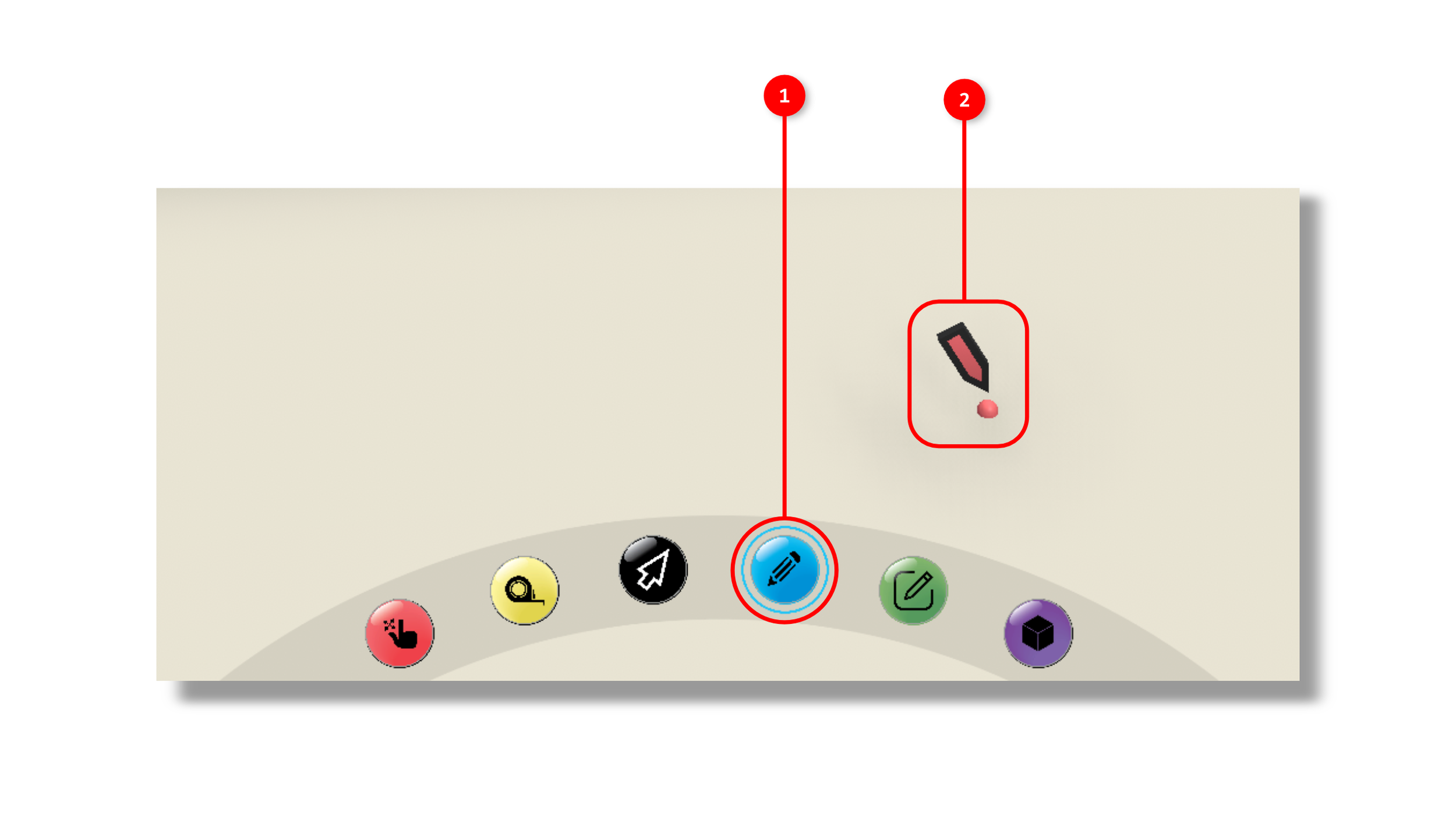
1. The tool is activated by clicking the Doodle icon in the interaction tools panel.
2. Once the tool is activated. a three dimensional pencil will appear in your scene and follow your mouse position to the nearest geometry.
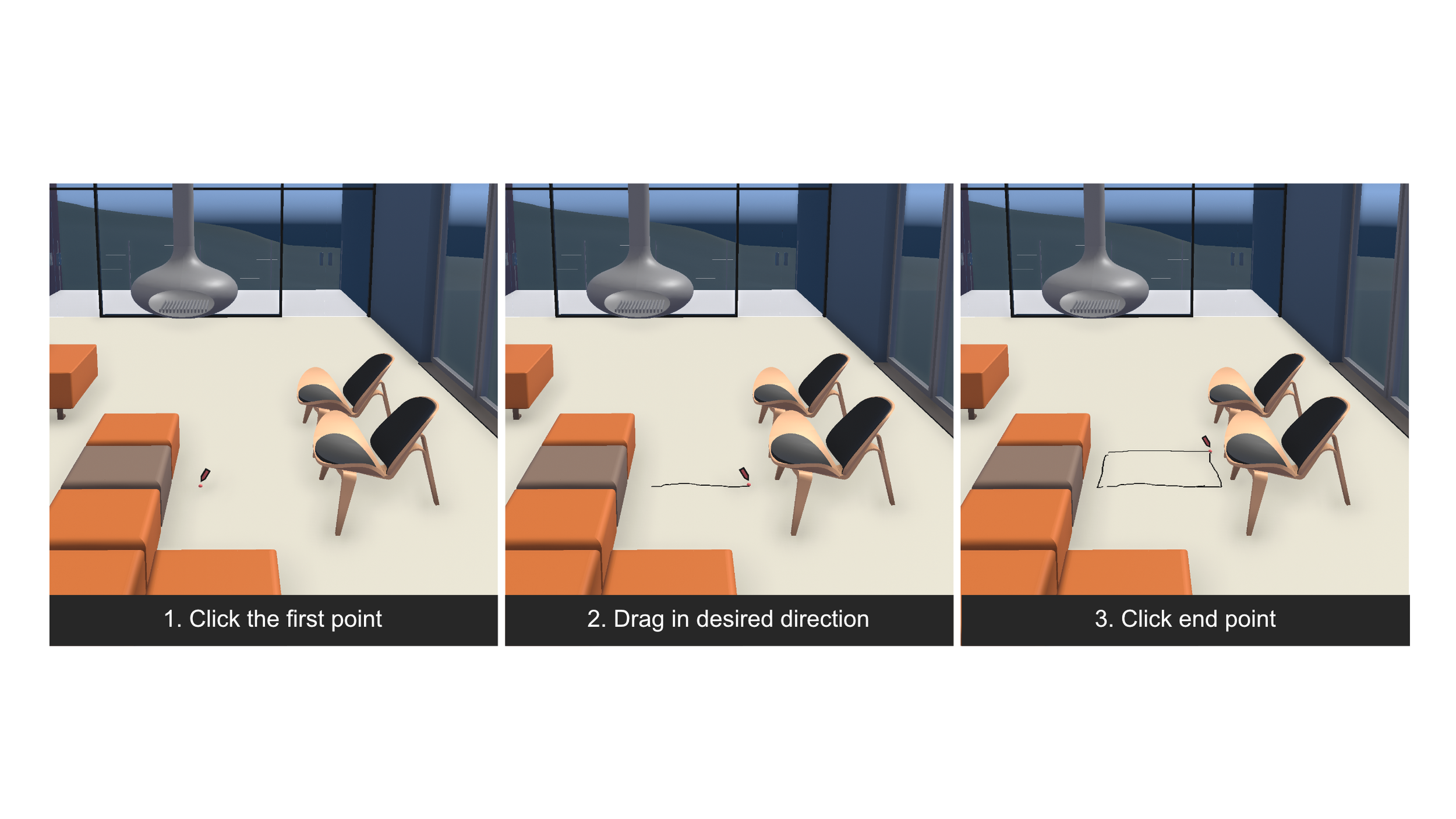
If you click and drag with your mouse, a line will start to appear which uses your avatar’s color selection from the home screen.
When you release your mouse click, the line will be saved.
If you are in a multiplayer session, your pointer position will be translated to everyone else in your session and any lines you draw will be sent to everyone on the network.