
PC | Move
The Pointer tool indicates to the user the current movement and position of the cursor.
The Move tool allows users to select an object in their scene and move it from one position to another.
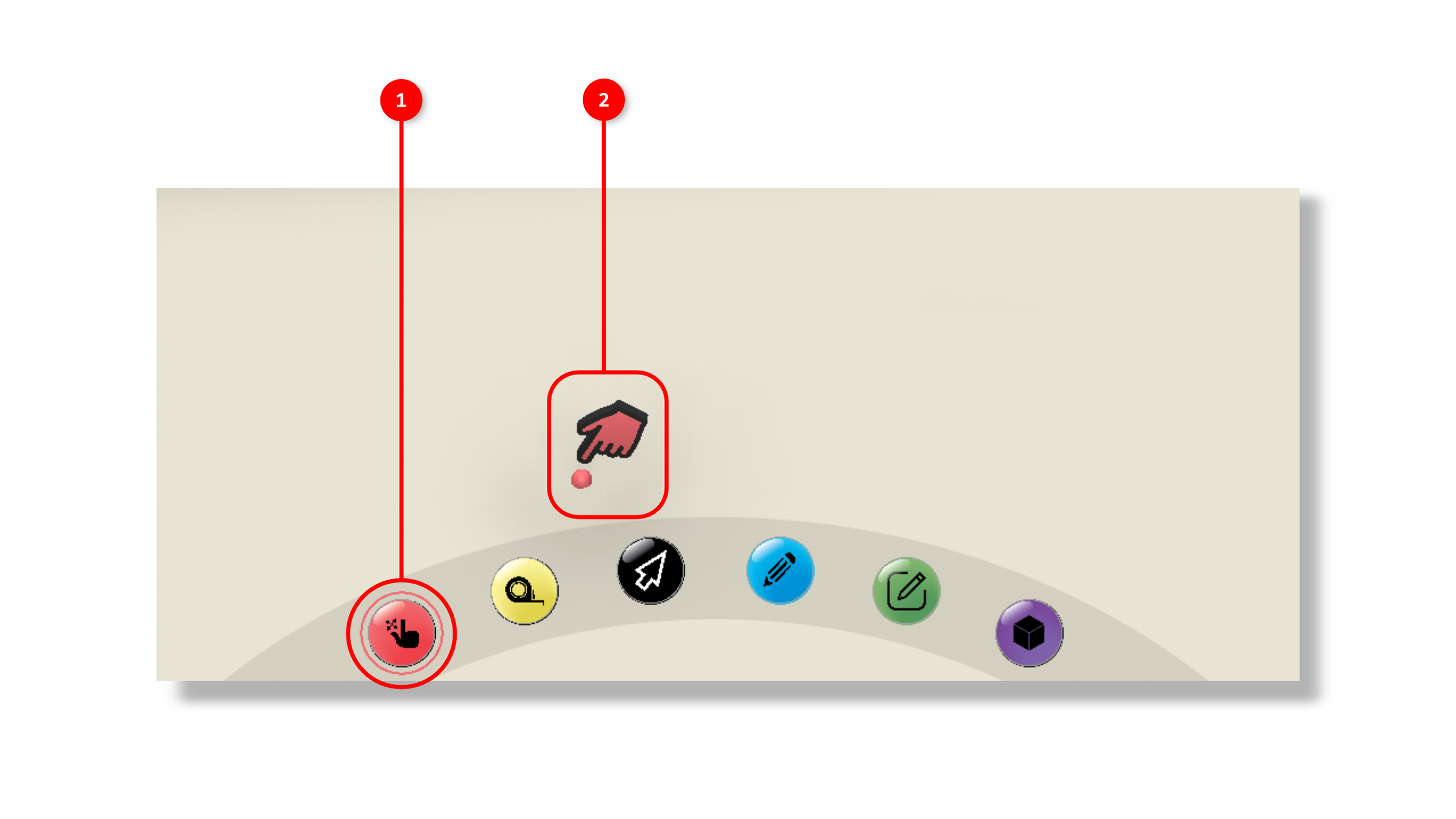
1. The tool is activated by clicking the Move object icon in the interaction tools panel.
2. Once the tool is activated, you will see a 3D hand icon that will follow your mouse's position projected into space.
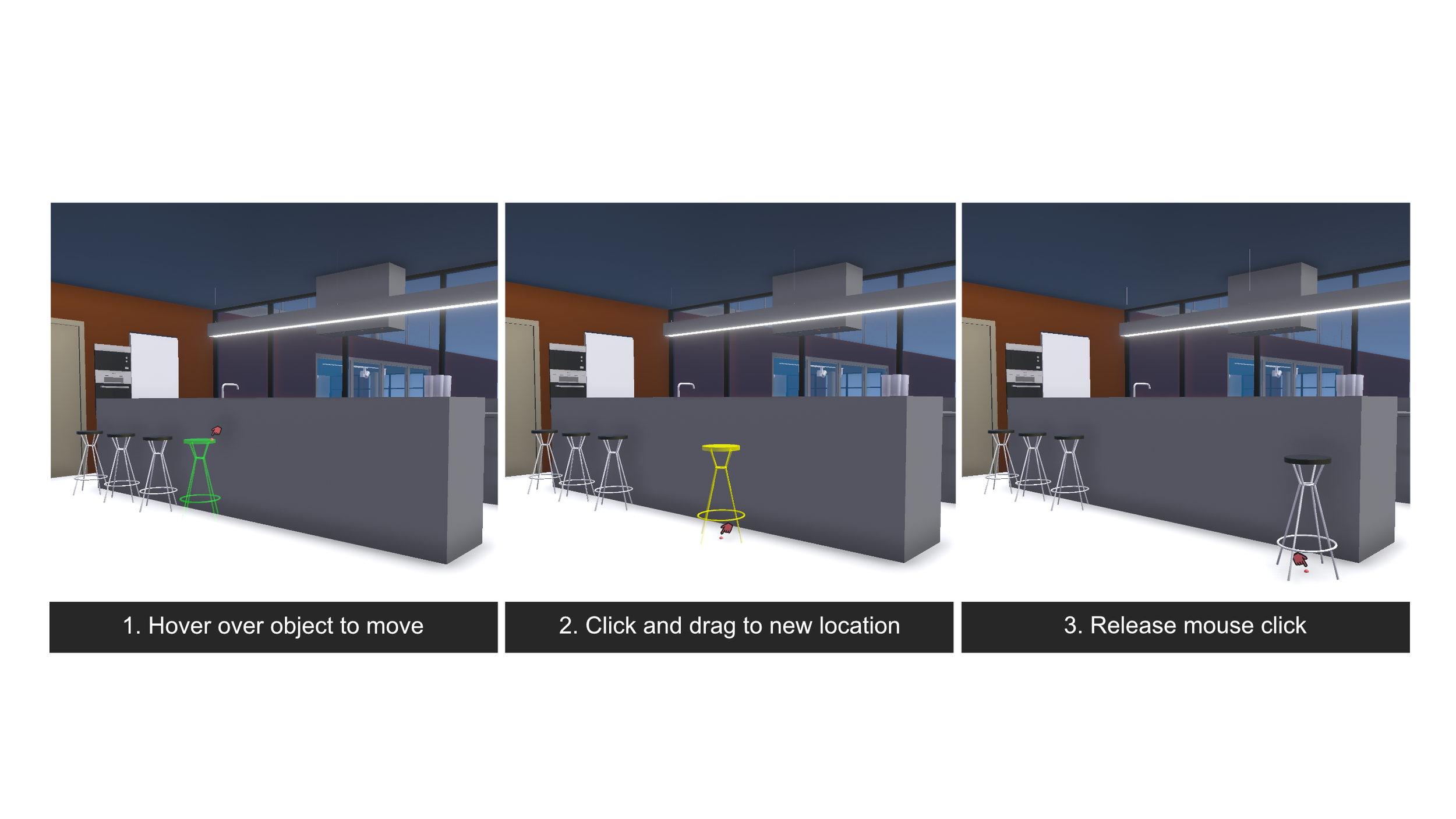
you may point at objects in your scene using the mouse. If an object is able to be moved, it will highlight green as you hover over it.
Click and hold the object to drag it to a new position.
When you release your mouse click, the object will stay in the new position.
When in a multiplayer session, the movements of objects will be correlated across all users.