
PC | Note
The Note tool allows users to leave text notes in a three dimensional position within their project.
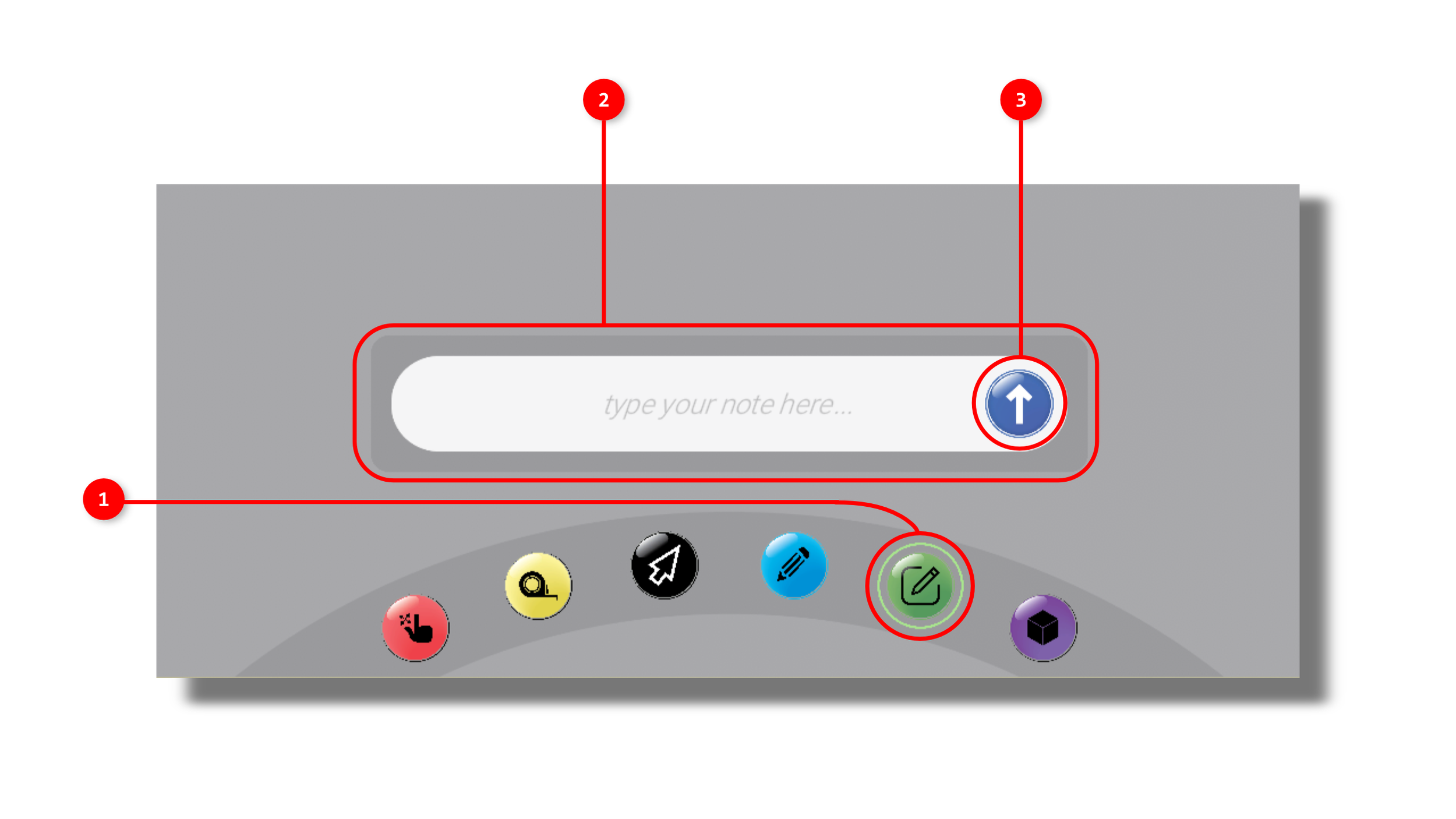
1. The tool is activated by clicking the Note icon in the interaction tools panel.
2. Once the tool is activated, a text input panel will appear above the interaction tools panel.
3. Once complete, click the confirm button to place the note anywhere in your scene.
4. Click the close button to cancel or exit the Note tool.
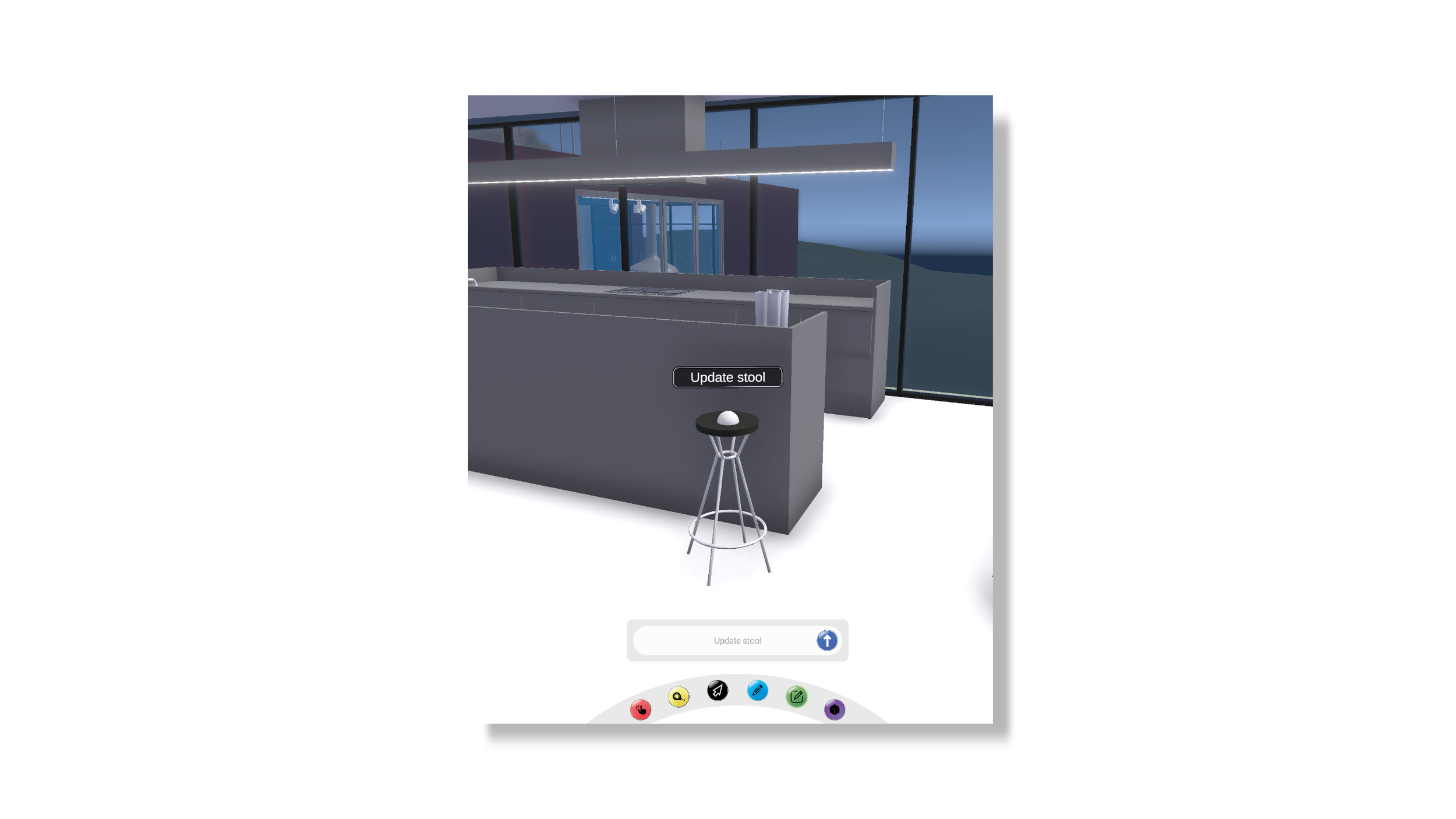
5. Once the confirm button has been pushed, the input text will appear as a three dimensional text box wherever the user’s mouse is located. Once the user clicks, the text box stays permanently where the user’s pointer was.