
PC | Tape Measure
The tape measure tool allows users to take orthographic measurements between any two points in space.
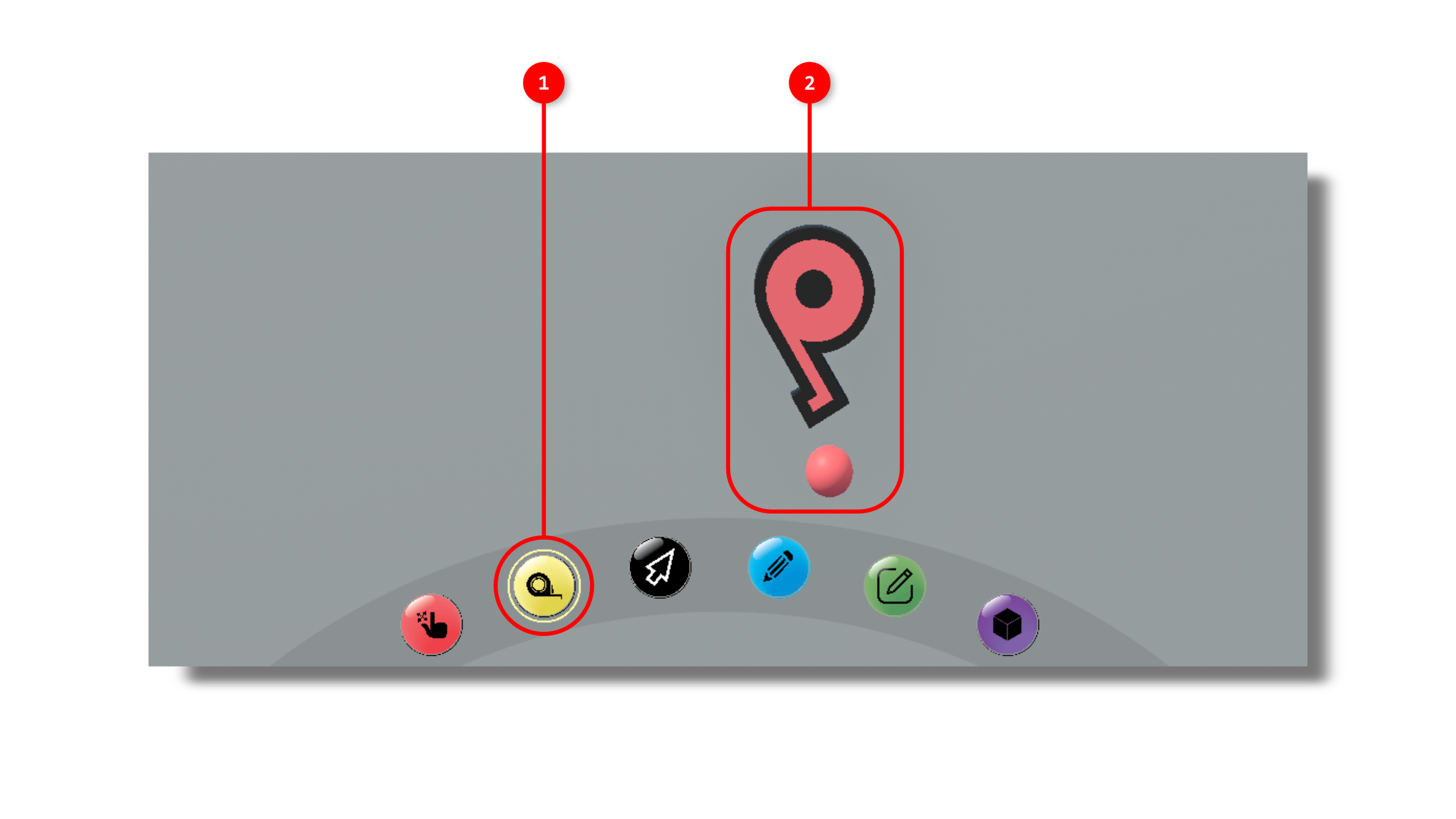
1. The Tape Measure tool is activated by clicking the tape measure icon in the interaction tools panel.
2. Once activated you will see a 3D tape measure icon in your scene that moves with your mouse location.
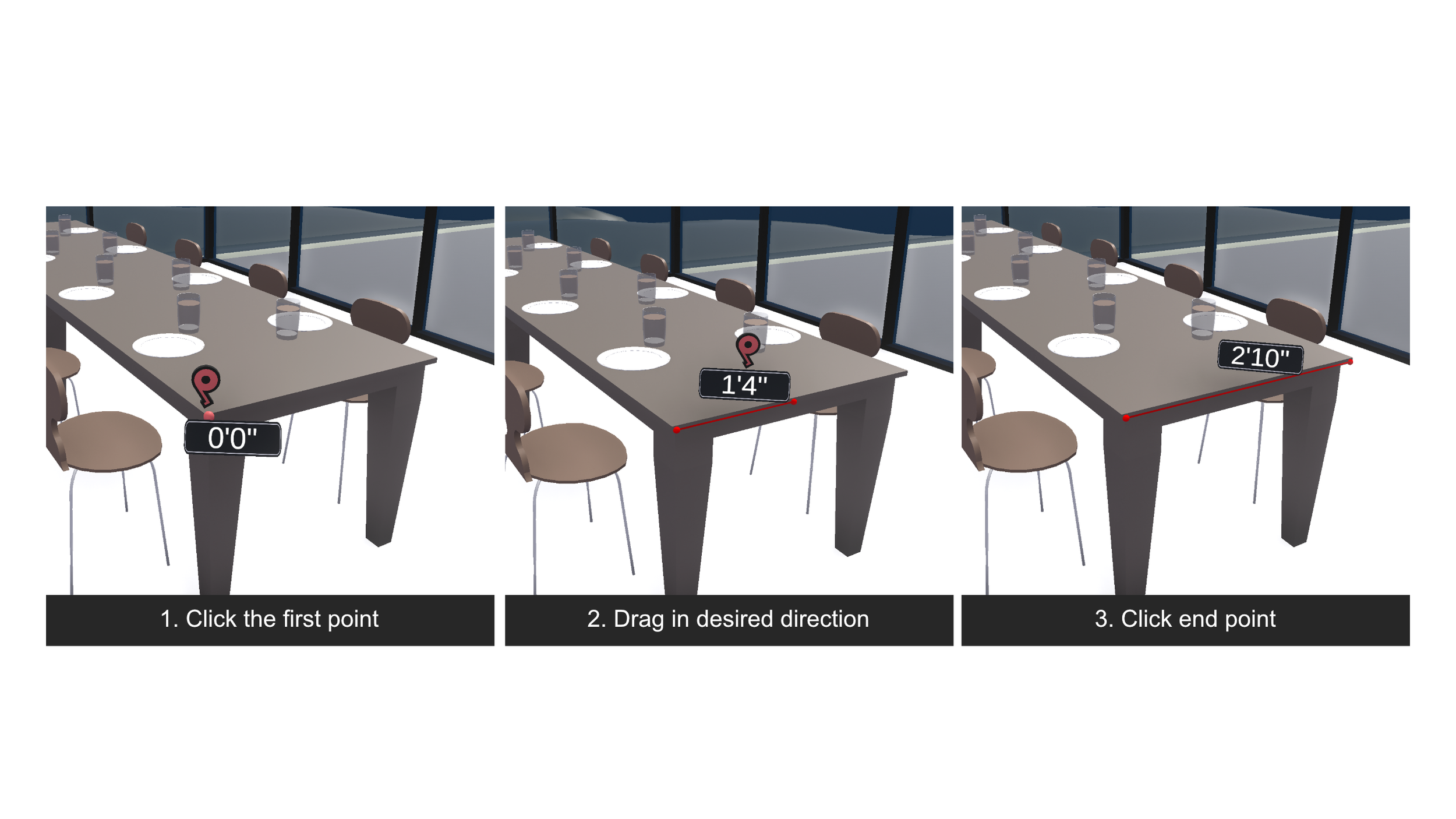
You may begin a measurement by clicking on a point in space.
You will see a measurement begin to stretch from the origin point to the current mouse position in space.
Clicking again will cause the measurement to save.